PreferenceCCjust nowForget
User prefers pnpm over npm in JavaScript projects.
A list we keep honest. If it is not under Shipped, it is not in the build.
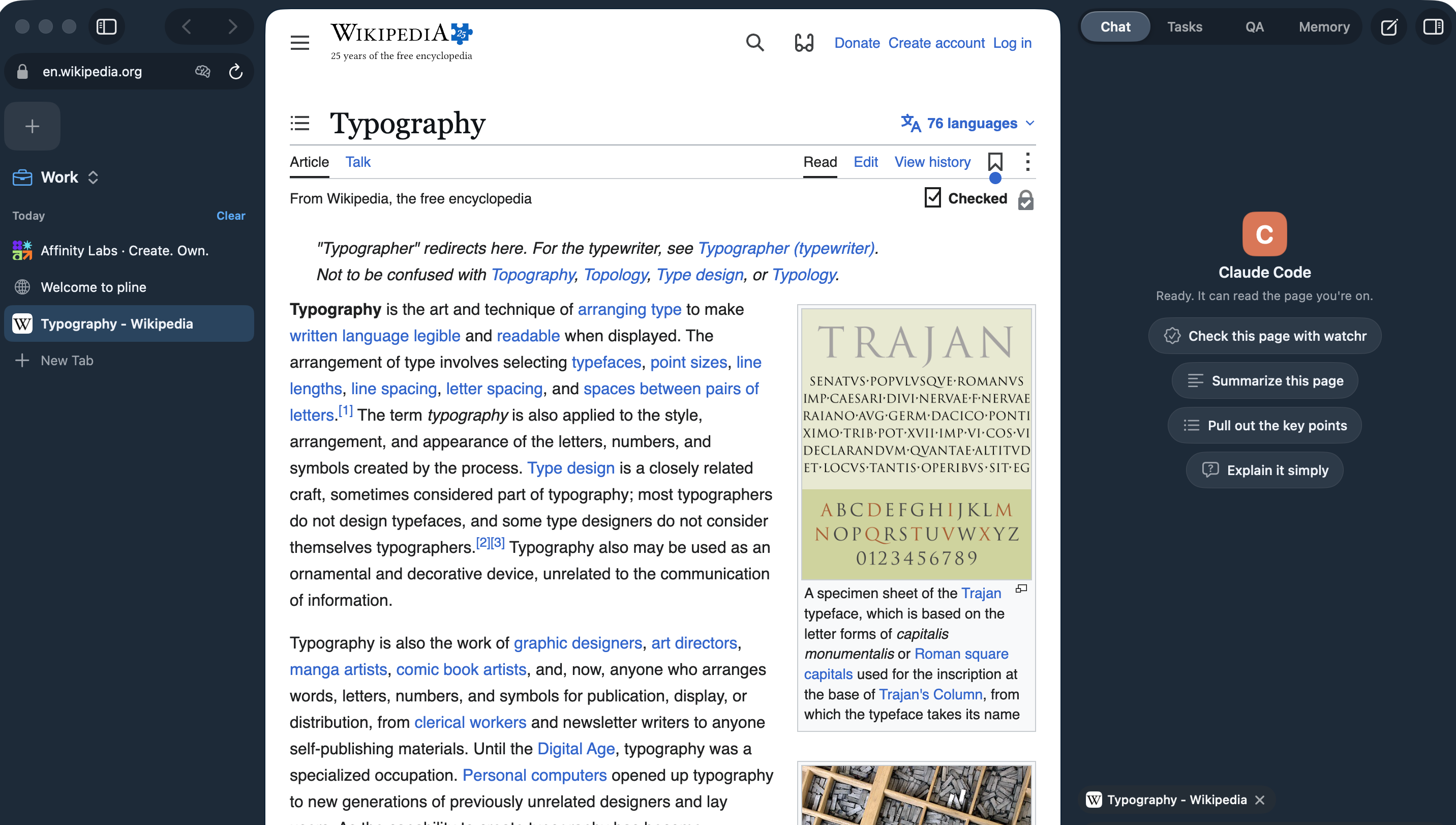
Each Space has its own tabs and its own colour. Switch with ⌃1 (Control-1) to ⌃9 (Control-9) and the whole window crossfades to the new colour in 220 ms, or instantly when Reduce Motion is on. Three Spaces come set up: Work, Personal and Studio, which is light.
The sidebar holds a favorites grid, pinned tabs in nested folders, and Today tabs that archive themselves after 12 hours by default. ⇧⌘T (Shift-Command-T) brings the last one back. When you quit and relaunch, your Spaces, tabs, window and panel come back as you left them.
Hide the sidebar (⌘S (Command-S)) or the agent panel and a button to bring each one back sits in the title band. The agent panel can also live on the left (View › Agent Panel on the Left). In full screen the page runs edge to edge, and with a column hidden its buttons appear when you move the pointer to the top edge, and stay hidden while the macOS menu bar is down.
⌘T (Command-T) opens a floating bar with two rows: “Go or search” for the web and “Ask the agent” for your agent, so a search never reaches the agent by mistake.
Shipped
Not yet
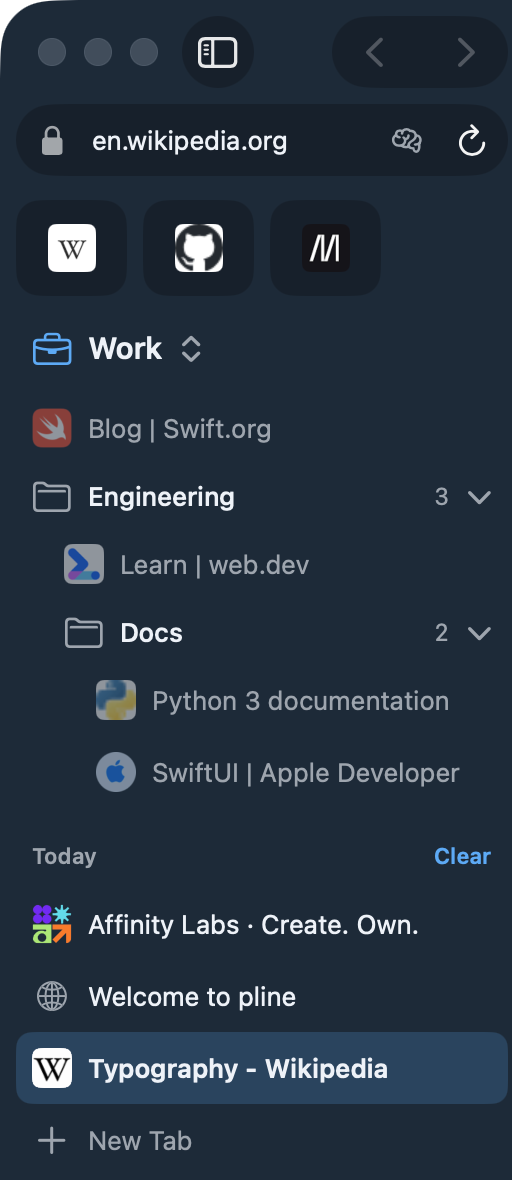
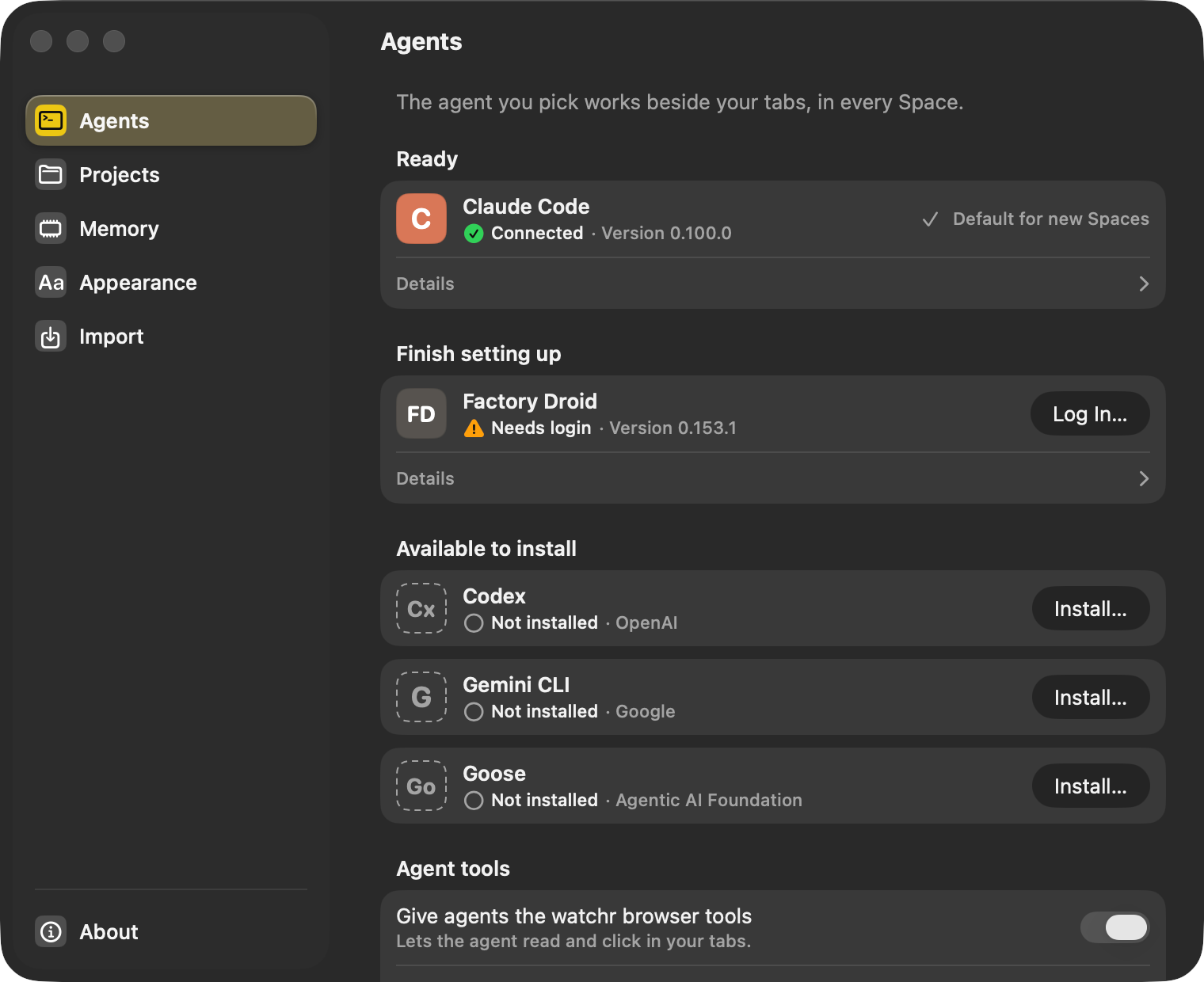
pline talks to agents over the Agent Client Protocol (ACP). The agent runs as a process on your Mac with its own login. Claude Code has been tested end to end. Codex, Gemini CLI, Goose and Factory Droid can be installed, logged in and connection-tested from Settings, and we will call them supported once we have run full tasks with each one.
Settings › Agents lists every agent with its state: Connected, Needs login, Available to install. Install shows the exact command before it runs it and puts the agent in pline’s own folder (Factory Droid’s installer is the exception: it writes ~/.local/bin, and the sheet says so). If you have no Node.js 20 or later, pline adds its own copy, checked against a pinned SHA-256. Log In opens Terminal with the agent’s own login command, and Test Connection starts the agent without sending a prompt. Settings is drawn in Liquid Glass on macOS 26.
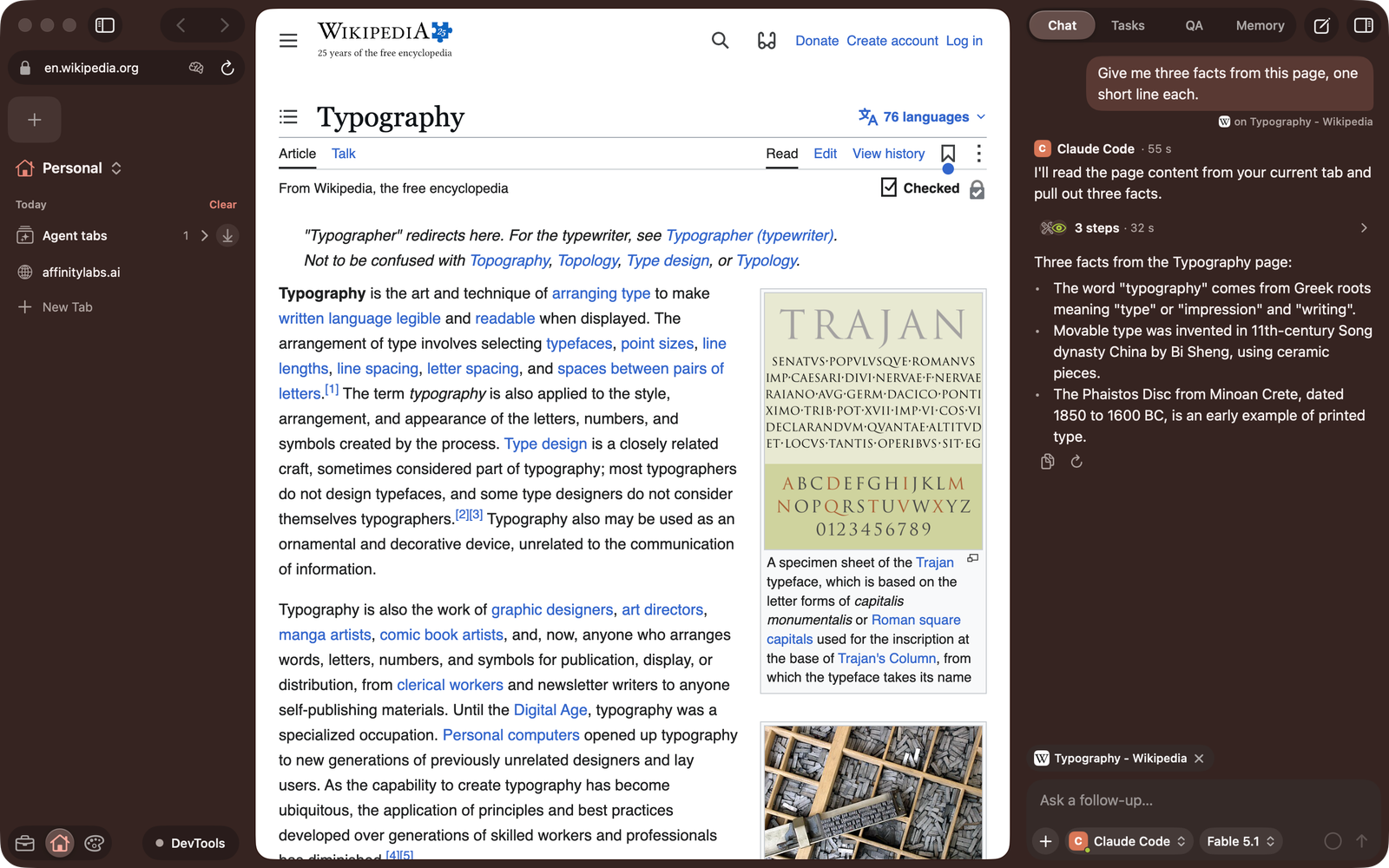
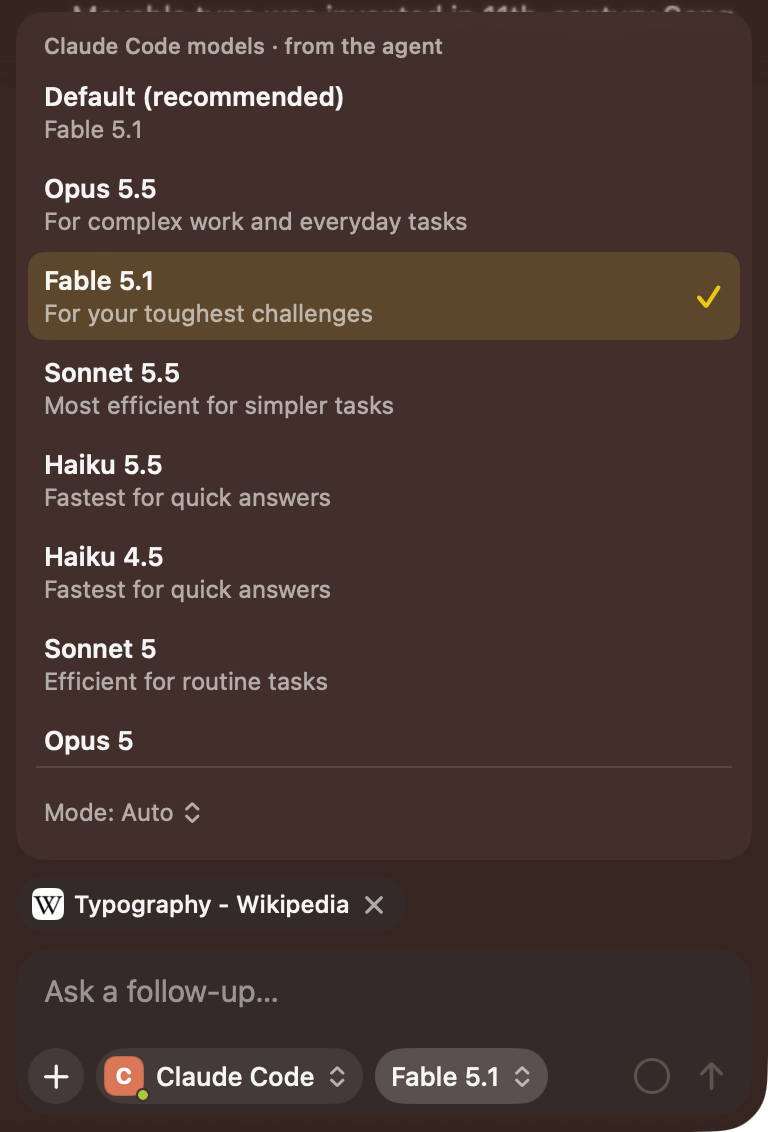
Open the panel with ⌥⌘P (Option-Command-P). It shows a streaming transcript, the agent’s plan as a checklist and a card for each tool call. Each message tells the agent which page and Space you are on. The chat box holds the agent menu (⌥⌘A (Option-Command-A)), where each Space picks its own agent; a model menu with the models and modes the agent offers; and / (slash) for the agent’s own commands next to pline’s. When you switch, the earlier messages stay above a “Switched to …” line, and the new agent starts fresh without seeing them.
When the agent wants to do something, a permission sheet shows the agent’s own choices, such as Allow once, Always allow or Reject. If you want to use an API key, you can paste one under Advanced on the agent’s card (Goose keeps its keys in its own setup instead). It goes into the macOS Keychain and is used only while its switch is on.
Shipped
Not yet
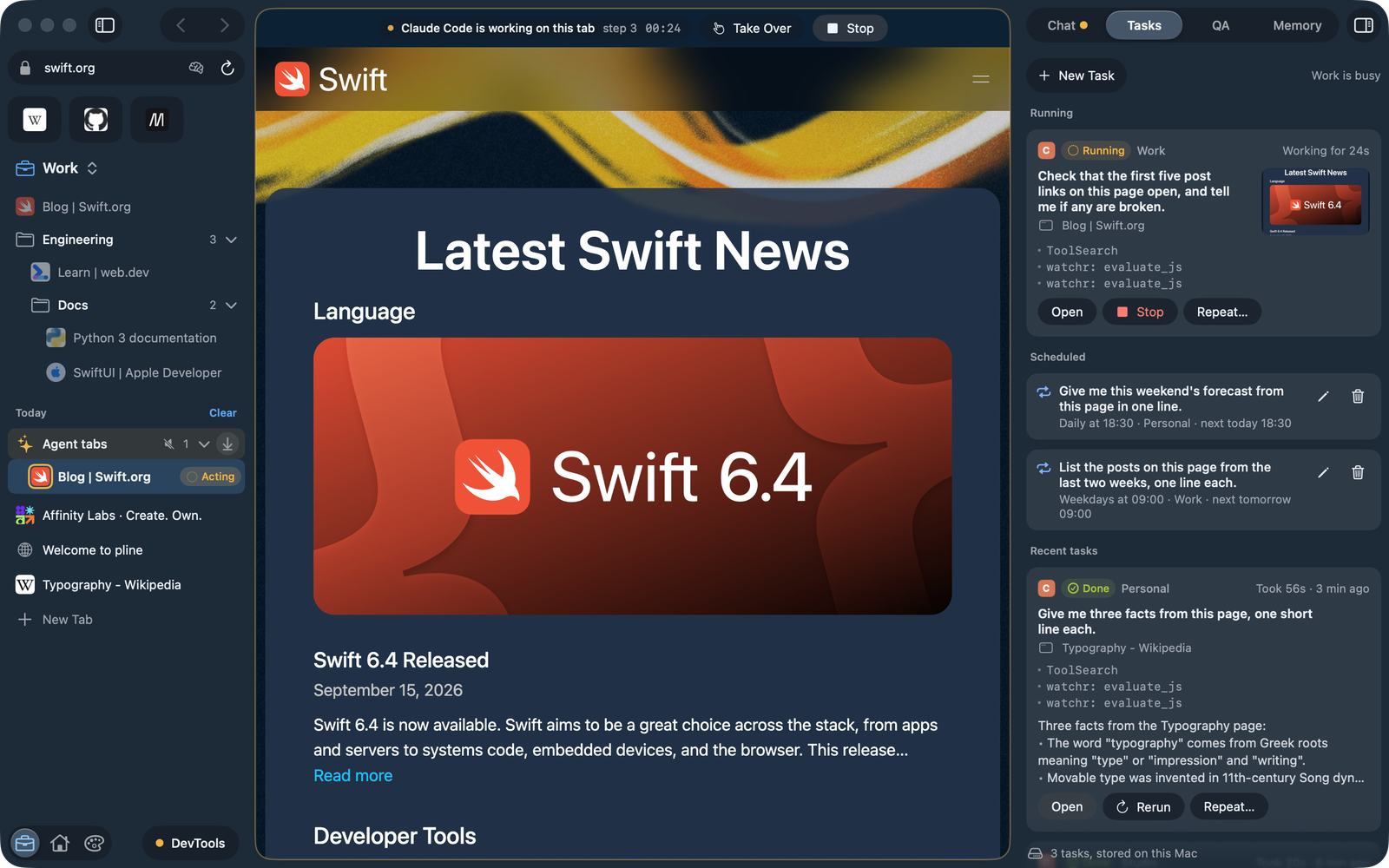
While an agent works on a tab, pline draws an amber ring around the page and the tab’s icon, and the sidebar shows “Acting”. A strip above the page says who is working, the step number and how long it has run.
Stop (⌥⌘. (Option-Command-Period)) ends the run at any time, and Take over hands the tab back to you. Tabs the agent opens are kept in their own muted group until the task ends, and Take over works on each of them.
Permission requests always reach the screen: in the panel, in the run strip, and as “Needs approval” on a task running in the background.
Shipped
Not yet
Every prompt becomes a task. Each Space runs one task at a time, and different Spaces run side by side, so switching Space stops nothing.
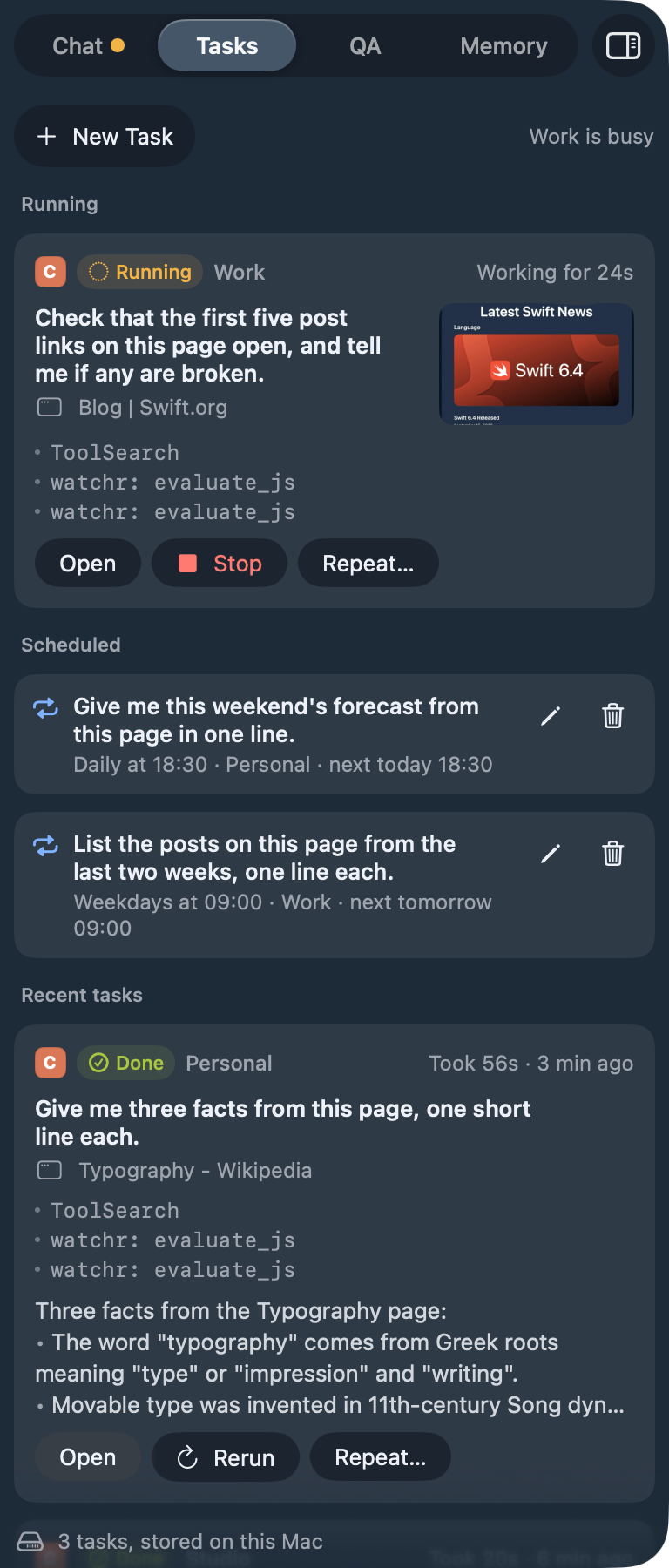
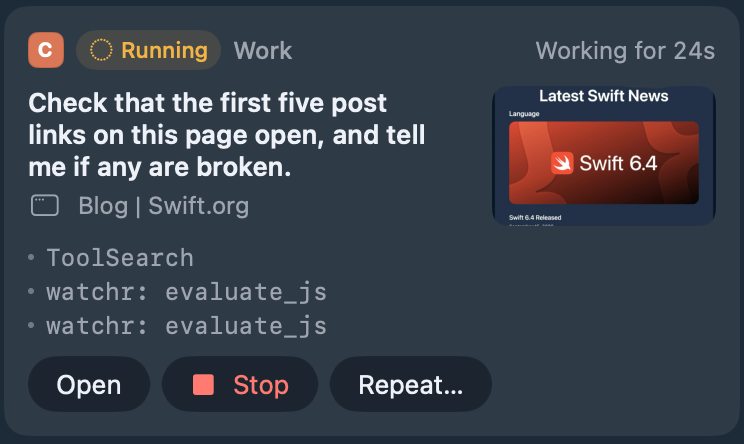
The Tasks tab shows each task’s status, how long it has been working, its steps and a small preview of its tab, with Open, Stop and Rerun. A background task that needs your permission shows “Needs approval”.
Repeat… schedules a prompt daily at a set time, on weekdays or every few hours, to run with your own agent while pline is open. A run missed while pline was closed runs once at launch if it is less than 12 hours late.
Shipped
Not yet
pline includes a small memory server your agent can use to save and search notes: preferences, facts and notes about sites. The Memory tab lists each entry with the agent that wrote it. Forget removes an entry, and you can restore it from Recently forgotten.
Settings › Memory decides what happens when an agent saves something (save it and tell me, ask me first, or don’t allow), whether agents can read memories at all, and when entries forget themselves. Export writes every memory to a JSON file, and Forget Everything moves every entry to Recently forgotten. The site button in the address field shows what pline remembers about that site and has a switch to stop agents remembering anything there.
It refuses anything that looks like a secret, such as API keys, tokens, passwords, card numbers and private keys. It also remembers nothing from banking and finance, health, government ID, adult or password-manager sites, or from sign-in and checkout pages.
The memory is a plain SQLite file on this Mac that only your user account can read, and it is never synced. Page addresses are saved without their query string, fragment or login part. It is not encrypted yet.
Shipped
Not yet
pline gives your agent watchr, the QA tool from Affinity Labs, as an MCP server for web checks: click through a flow, read the console and network, take screenshots and collect evidence. It is on by default (Settings › Agents › Agent tools), and it needs uv, which downloads watchr from PyPI the first time.
watchr works inside your pline tabs. It attaches to the tab you are on through pline’s DevTools port, which listens on 127.0.0.1 only, gets a new random port at each launch and is always shown in the sidebar footer. Before an agent takes control of a tab, pline asks, and you can let a Space remember your answer. The run strip says when the agent is working on that tab.
With watchr on, pline tells your agent to use it on the current tab and no other browser tool. For Claude Code it also switches those other browser tools off for the session, so no separate browser window opens.
Shipped
Not yet
Spaces › Connect a Folder… (⇧⌘O (Shift-Command-O)) gives a Space a project folder, and the Space’s agent works there. pline refuses the disk root, system folders, your home folder itself and anything in ~/Library. The chat box shows the folder, its git branch and how many files changed. File edits appear as diffs in the permission sheet, and shell commands as $ command with their output.
pline detects the project’s dev server (Vite, Next.js, Astro, Remix, SvelteKit, Django, FastAPI, plain Node and static sites) and runs it when you choose Run, with no shell and none of your agent keys. The page shows in a pinned Preview tab, and the agent can read the server’s status and log through a small local helper.
After the agent changes files, pline checks the preview: the framework’s error overlay, the dev-server log, the console, the network and a screenshot against the route’s baseline. If the check fails while you are watching, pline counts down and asks the agent for one labelled fix, at most twice per message. Esc, Don’t fix, typing or Stop cancels it, and both switches are in Settings › Projects.
Shipped
Not yet
pline runs on Chromium (CEF 156) with the Chromium macOS sandbox on, and keeps WebKit as a built-in fallback. Tabs you are not looking at stop rendering, which keeps CPU use down with many sites open. Downloads live in a footer popover with progress, cancel and Show in Finder. Camera, microphone, location and notifications start at Don’t Allow and are asked site by site, and any link that wants to open another app asks first.
Find in page is ⌘F (Command-F). JavaScript dialogs appear as sheets, PDFs open in a built-in viewer, and a crashed page reloads once and then shows a card with Retry.
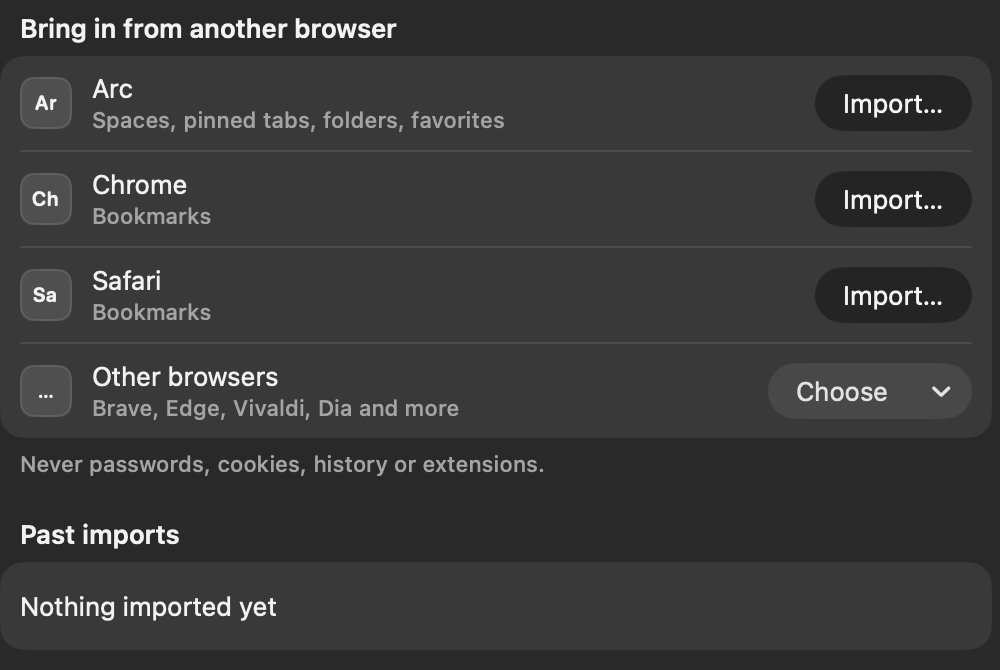
Import (File › Import from Browser…, or Settings › Import) brings Arc Spaces with their colours, pinned tabs, nested folders and favorites, plus bookmarks from Chrome, Brave, Edge, Chromium, Vivaldi, Dia, Comet and Safari. Duplicates are skipped, Undo is offered, and Settings › Import lists past imports so you can undo one later. Imports copy structure only: never cookies, passwords, history or extensions.
Shipped
Not yet
Requirements
macOS 14 or later · Apple silicon · Node.js 20+ (pline adds its own if missing) · uv (for watchr)
pline 1.0 is out. Download it, connect the agent you already use, and start working.
Download for MacmacOS 14 or later · Apple silicon · no account