How pline treats your agent, your keys and your memory.
Short version: no account, no pline server, and nothing hidden about what the agent is doing. The long version is below, including what is not done yet.
What leaves your Mac
Your agent talks to its own provider, and websites see your browsing, as with any browser. When you install an agent from Settings, its pinned package comes from the npm registry or its maker’s own installer, and watchr comes from PyPI the first time it starts, with none of your data. Everything else stays on this Mac. Each part is explained below.
Select a part of the diagram
Choose any box to see what it holds and where its data goes. Every explanation is also listed below.
Stays on your Mac
pline’s folder
Spaces, tabs, tasks and import receipts live in
~/Library/Application Support/pline/on this Mac. The tasks file keeps each prompt, its last three step titles, the start of the answer and the tab’s title, newest 100.pline-memory and watchr helpers
Two small local servers pline gives your agent: one for memory and one for web checks with watchr. pline blanks your API key for both. watchr works inside the tab you are on, through the DevTools port.
Memory file
A plain SQLite file only your user account can read (mode 0600, in an owner-only folder), never synced. Page addresses are saved without their query, fragment or login part. It is not encrypted yet.
macOS Keychain
Used only if you paste an API key for an agent and turn it on. The key stays in the Keychain and is handed only to that agent’s own process. Tools the agent starts may inherit it.
DevTools port
Listens on 127.0.0.1 only and gets a new random port at each launch. pline shows it in the sidebar footer, and asks before an agent takes control of a tab through it.
pline app
The browser itself. It starts your agent, talks to it over the Agent Client Protocol and keeps your Spaces in its own folder. It adds no telemetry.
Your agent
Claude Code today (Codex, Gemini CLI, Goose and Factory Droid connect from Settings), run as a local process with its own login. pline never reads its credential folders.
Leaves your Mac
Websites you visit
Sites see your traffic, as in any browser. pline sends Google Chrome’s user-agent string for a Mac (Safari’s on the WebKit fallback) and does not add its own name.
Your agent’s provider
Your agent sends your prompts there with its own login. That is between you and them, just as it is when you use the agent in a terminal.
Installs: npm, PyPI, makers
Install in Settings › Agents fetches the agent’s pinned package from the npm registry (Goose and Factory Droid use their makers’ installers), and Node.js from nodejs.org if you need pline’s copy. watchr comes from PyPI with
uvxthe first time it starts. None of your data goes with these requests, and later launches use the local copy.
Goes to pline: nothing
pline servers: none
There is no account, no sync and no pline backend, so there is nothing on our side for your data to go to.
Your agent, your login
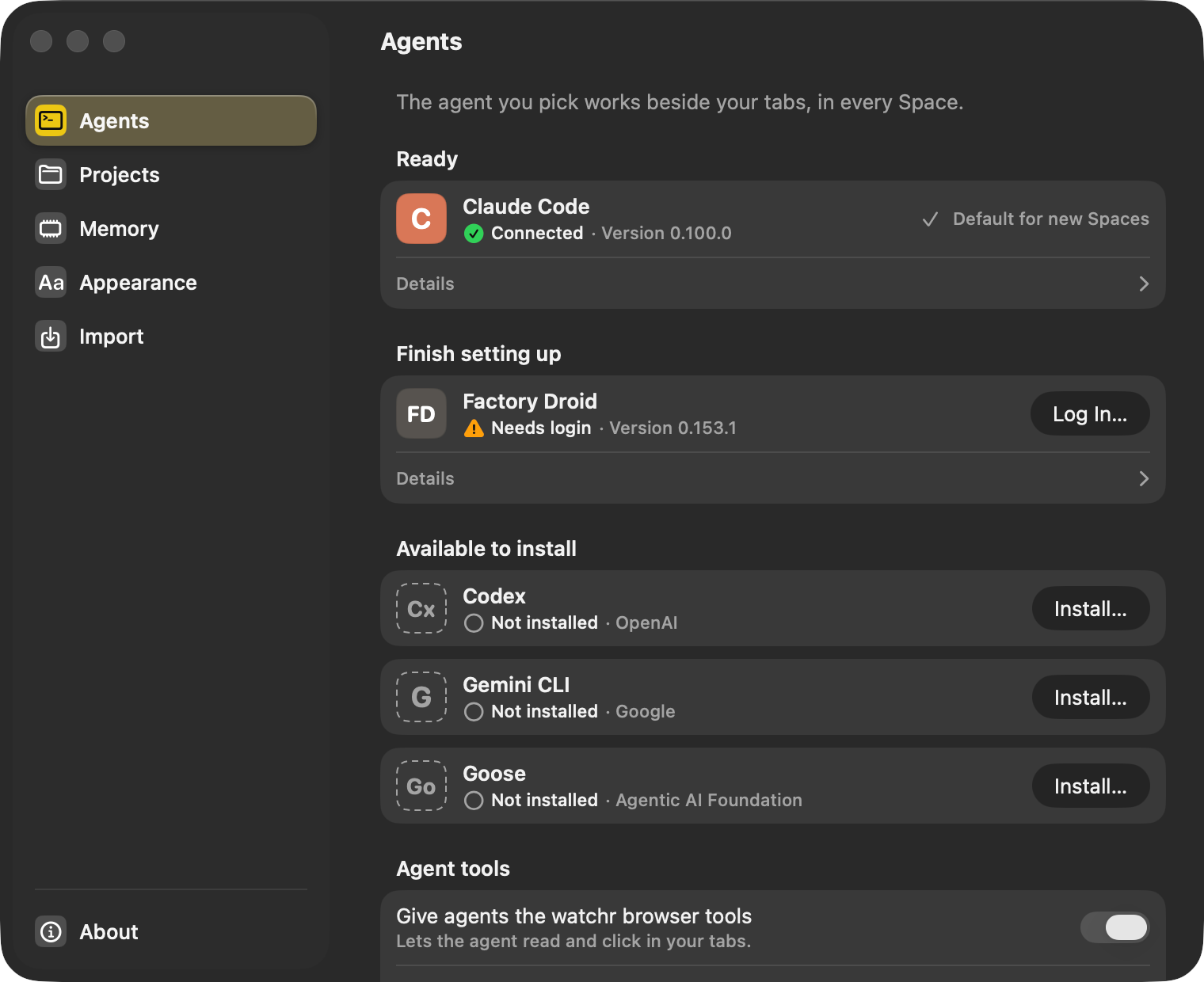
pline starts your agent as a local process that uses its own login. pline never reads the agent’s credential folders (~/.claude, ~/.codex, ~/.gemini, ~/.config/goose, ~/.factory). It never shows, stores or relays a subscription token, and it never handles your provider login. When an agent needs a login, Log In in Settings › Agents opens Terminal to run the agent’s own login command there, and pline never sees what you type. It notices when the login is done and tests the connection without sending a prompt.
Install shows the exact command before anything runs, and the agent goes into pline’s own folder. The one exception is Factory Droid, whose installer writes ~/.local/bin; the install sheet says so.
| Item | pline does | pline never does |
|---|---|---|
| Your agent’s login | Starts the agent so it can use the login it already has | Reads ~/.claude, ~/.codex, ~/.gemini, ~/.config/goose or ~/.factory, or sees what you type when the agent asks you to log in (that happens in Terminal, with the agent’s own login command) |
| API keys (optional) | Keeps a key you paste in the macOS Keychain and hands it only to that agent’s process | Shows it again, logs it or sends it to pline servers (there are none) |
| Your prompts | Passes them to your agent along with the page and Space you are on | Logs prompt or tool contents |
API keys, only if you want them
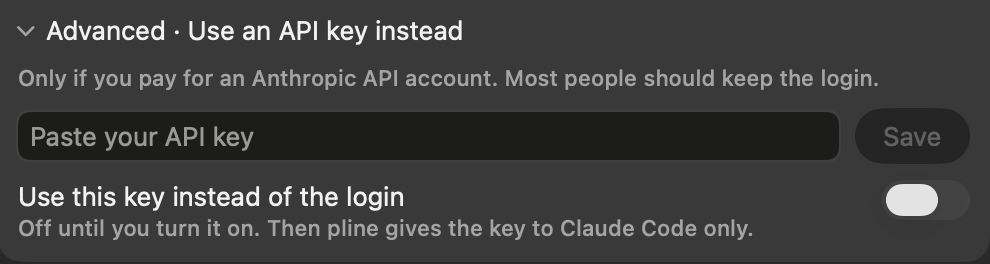
You can paste a key under Advanced on an agent’s card in Settings › Agents (Goose keeps its keys in its own setup). It is kept in the macOS Keychain, used only while its switch is on, and passed only to that agent’s own process. pline blanks the key for the memory and watchr helpers it adds.
Tools your agent starts itself may inherit the key.
Memory on this Mac
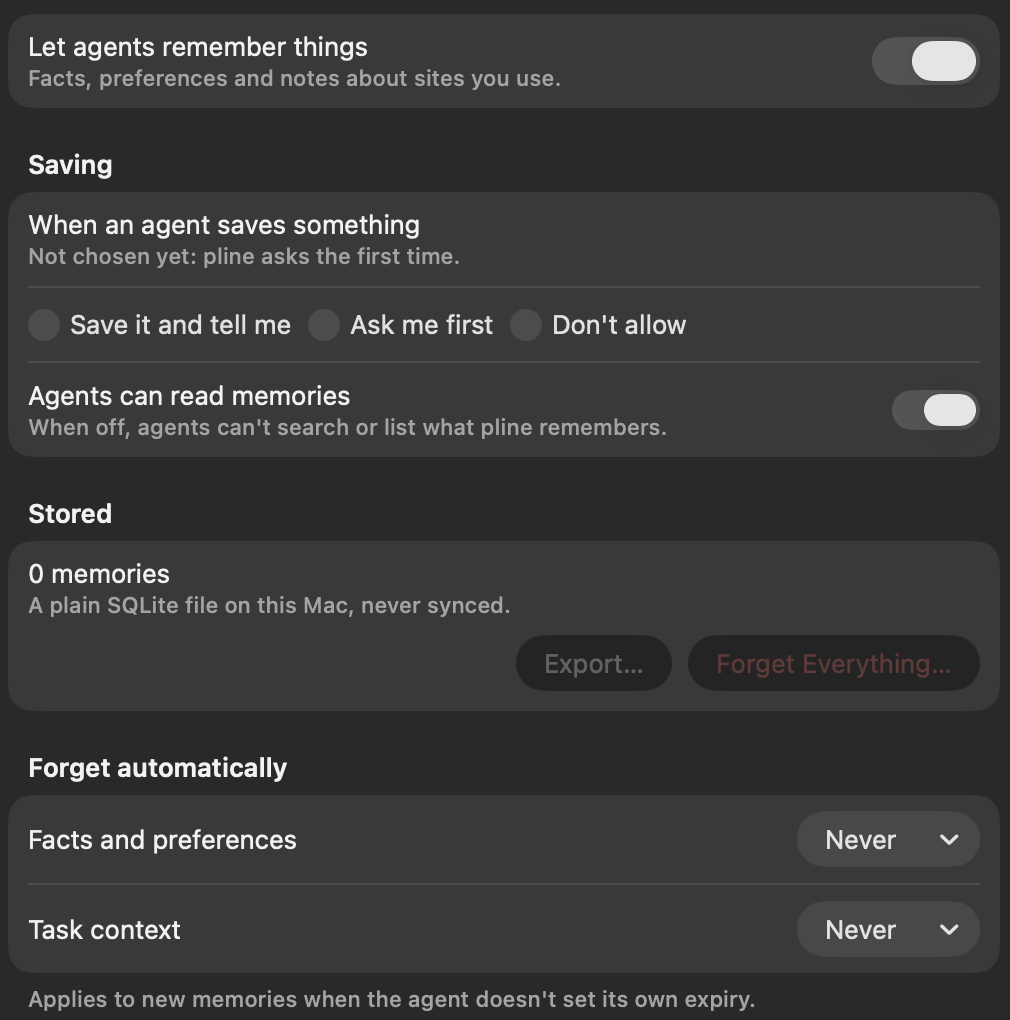
- The memory is a plain SQLite file with mode 0600, in a folder only your user account can open. It is never synced.
- Page addresses are saved without their query string, fragment or login part.
- Forget is a soft delete, so you can restore an entry. You can see and forget every entry in the Memory tab, export them all to JSON, or forget everything in Settings › Memory.
- pline asks the first time an agent wants to save something. After that you choose: save it and tell me, ask me first, or don’t allow. You can also stop agents remembering anything on a site.
- It refuses anything that looks like a secret (API keys, tokens, passwords, card numbers, private keys), and anything from banking and finance, health, government ID, adult or password-manager sites, or sign-in and checkout pages.
- It is not encrypted yet. Encryption at rest is planned.
While your agent works
- Agent work is labelled
- You see the amber ring, the strip and “Acting” whenever an agent works on a tab. Before an agent takes control of a tab through watchr, pline asks you, and a Space can remember your answer. To websites, pline sends Google Chrome’s user-agent string for a Mac (Safari’s on the WebKit fallback) and does not add its own name.
- You approve, you can stop
- Permission requests always reach the screen: in the panel, in the run strip, and as “Needs approval” for a task running in the background. The choices are the agent’s own: allow once, always allow or reject. Stop (⌥⌘. (Option-Command-Period)) works at any time.
- Site permissions start at Don’t Allow
- Camera, microphone, location and notifications are denied unless you allow them, and pline remembers your answer for each site until you quit. Any link that wants to open another app asks you first.
- Chromium’s sandbox is on
- Every Chromium process that handles web content, the GPU or the network runs inside Chromium’s own macOS sandbox. pline will not start Chromium without it, and falls back to WebKit instead.
- Small logs
- pline does not log prompt or tool contents, or tool titles. The tasks file keeps each prompt, its last three step titles, the start of the agent’s answer and the tab’s title, for the newest 100 tasks. pline adds no telemetry, and this site sets no cookies.
Imports copy structure only
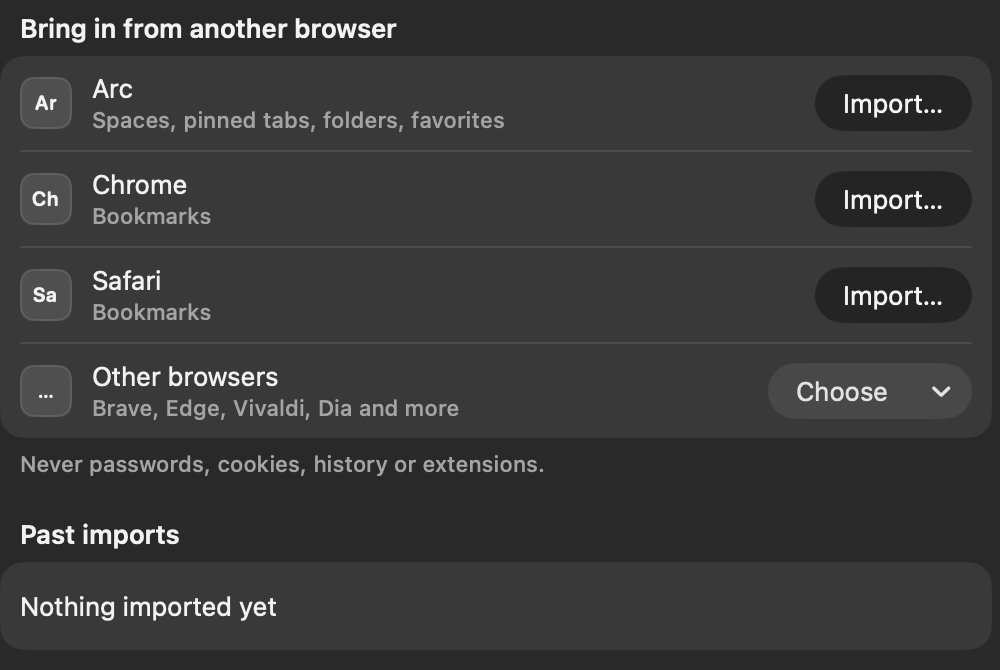
Imports bring Spaces, tabs, folders, favorites and bookmarks. Never cookies, passwords, history or extensions.
Safari import needs Full Disk Access, and pline reads only Bookmarks.plist. Every import can be undone, and Settings › Import lists past imports so you can undo one later.
Still to come
- Encryption for memory at rest. Memory is a plain local database today, kept on your Mac.
What we won’t claim
pline is not a guarantee against prompt injection, and it does not stop your agent’s provider from receiving the prompts you send it. Your traffic to websites is your traffic, as in any browser.
Bring your agent. We’ll bring the browser.
pline 1.0 is out. Download it, connect the agent you already use, and start working.
Download for MacmacOS 14 or later · Apple silicon · no account